POGIL is an acronym for Process Oriented Guided Inquiry Learning.
As a student-centered instructional approach, in a POGIL classroom, students work in small groups/teams on specially designed activities that follow a learning cycle paradigm of exploration, concept invention, and application, with the instructor acting as a facilitator.
Developed in Chemistry before expanding to fields throughout the disciplines, the POGIL approach has two broad aims: to develop content mastery through student construction of their own understanding, and to develop and improve important process skills such as information processing, communication, critical thinking, problem solving and metacognition and assessment.
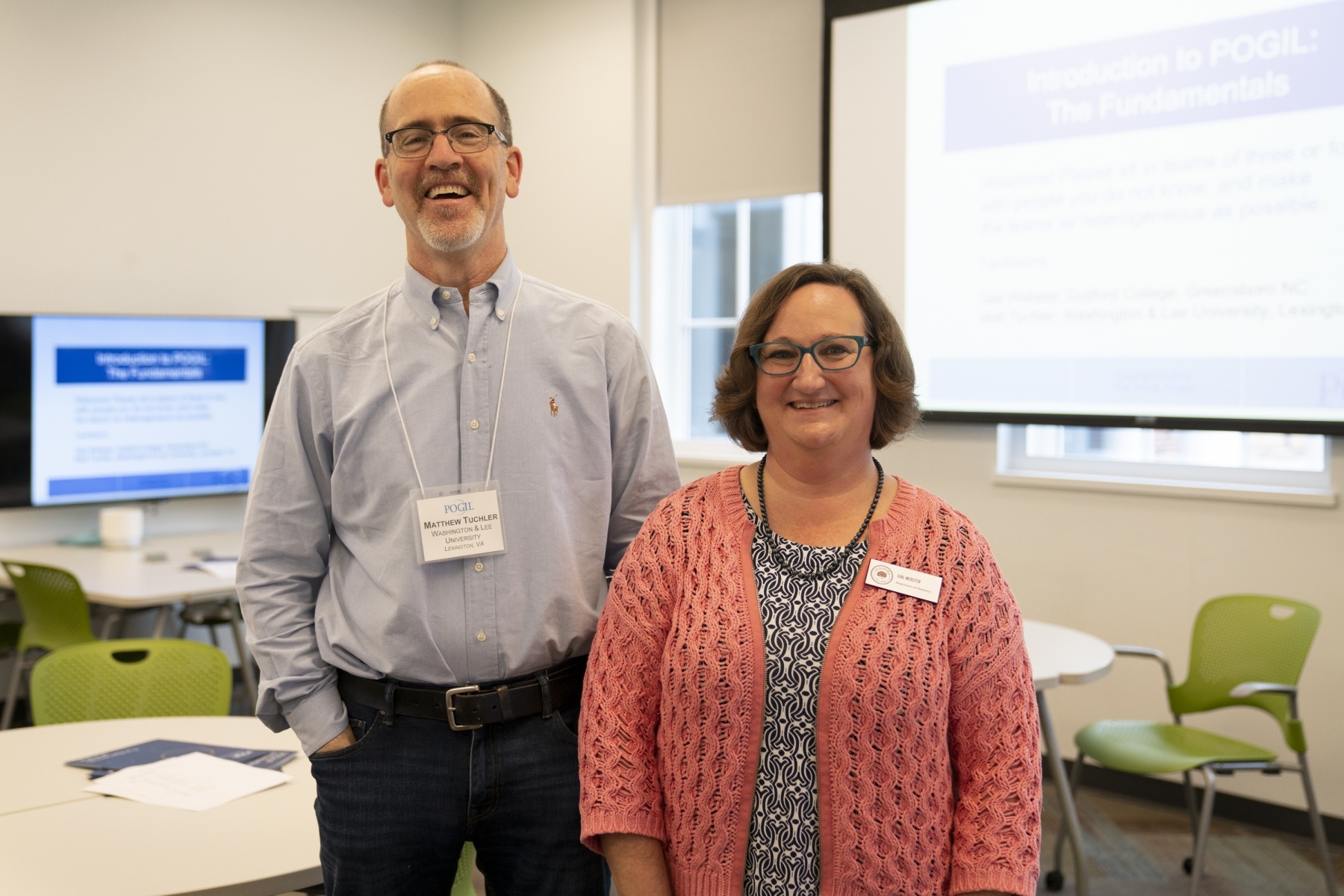
Matt Tuchler and Gail Webster
Image 1 of 10
Gail Webster, Professor and Chair of Chemistry at Guilford College, and our very own Matt Tuchler, Associate Professor of Chemistry, acted as the facilitators, leading us though the organization of a POGIL course, how guided inquiry is structured in a POGIL classroom, several POGIL activities, as well as considerations for classroom facilitation.
Attendees who experienced a POGIL-based learning environment included faculty and staff members from Accounting, Biology, Business Administration, Chemistry and Biochemistry, Cognitive and Behavioral Science, Computer Science, ITS, Journalism and Mass Communications, Physics and Engineering, and the University Library.
Many thanks to both Gail and Matt, and all who took the time to attend. We’re always thrilled to offer provide training in new teaching pedagogies and even more elated when faculty are interested and willing to learn to use these methods.
BONUS: Find the Enhancing Learning by Improving Process Skills in STEM (ELIPSS) rubrics helpful? We did, too! View and/or download all the rubrics.
CT = Critical Thinking
IC = Interpersonal Communication
IP = Information Processing
MC = Metacognition
MG = Management
PS = Problem Solving
WC = Written Communication
TW = Teamwork
The files with “feedback” in the title — CT, IC, IP, TW — are those with suggestions for improvement. This new style is not available for all rubrics yet.
Some students are reluctant to embrace active learning methods, Robert Talbert notes, but it’s important to combat misperceptions they might have about them.
He reminds educators that:
learning is a process, not an action performed onto someone;
the absence of lecturing is not the same as having to teach oneself; and
the skill of self-teaching is essential and needs to be developed.
Folks, the clock is ticking and the retirement of Sakai is creeping closer and closer …
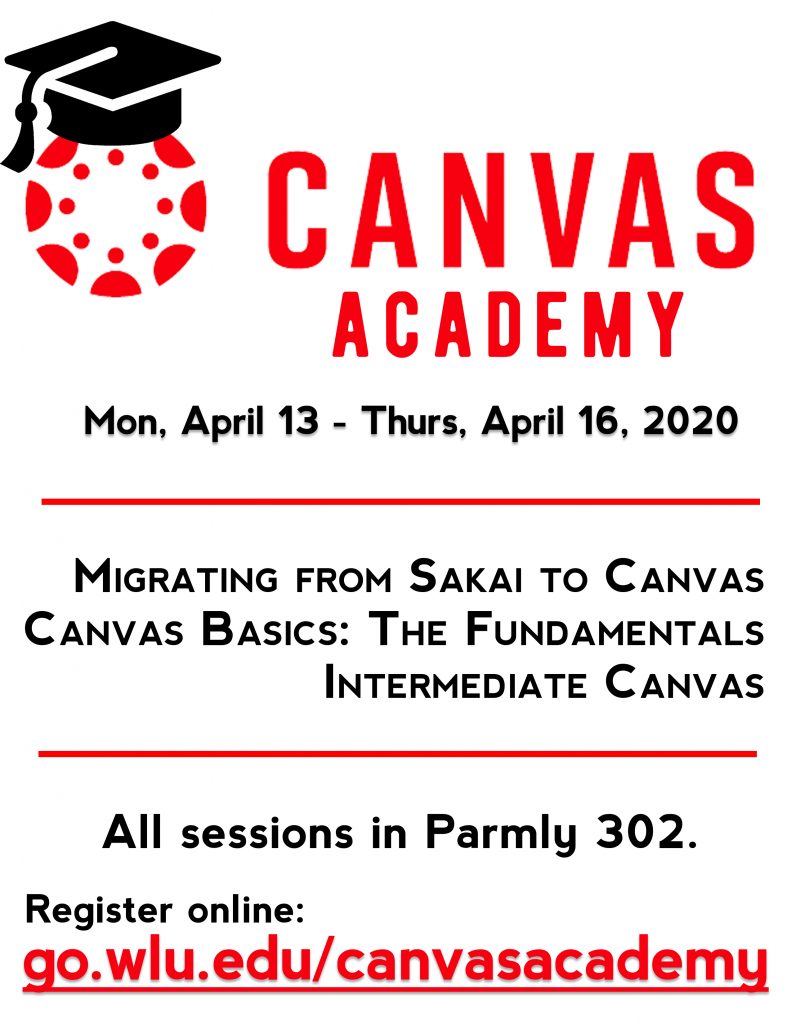
For anyone who needs to learn the ins and outs of Canvas, Academic Technologies is offering a week-long opportunity to get up to speed with W&L’s learning management system: a special edition of Spring Academy focused entirely on Canvas.
We will offer the same 3 sessions each day at different times, so hopefully, you will be able to join us. All sessions meet in Parmly 302, but feel free to bring your laptop.
Friday, May 22 12:00-2:00 pm, Main Level of Leyburn Library
Tell us what you’ll need to showcase your students’ hard work over this intense 4 week term. The Request for Technology form is now available.
We will do our very best to honor all requests. Kindly note that there is a limited number of locations for projectors and projector screens, as well as easels and poster boards, so please complete the form as soon as possible. Thank you!
If you’d like to hear about a new approach to teaching lab report writing that will yield more effective lab reports AND deepen student learning of course content, then watch this recording:
[NOTE: You must login with your W&L credentials to view this video.]
Last week, Julie and Brandon attended the 12th Annual Conference on Higher Education Pedagogy (CHEP), hosted by the Center for Excellence in Teaching and Learning at Virginia Tech. The conference showcases the best pedagogical practice and research in higher education. Sessions address disciplinary and interdisciplinary instructional strategies, outcomes, and research.
The following are just a few handy resources they came across …
Simple, and low-tech way to get quick feedback or check understanding without the need to have students use devices or even paper and pencil. Each student is assigned a unique Plickers card with a black and white image similar to a QR code. The letters A, B, C, and D are written in small print around the edge of the image, with one letter on each side of the card. Instructors display a multiple-choice or true-false question and students rotate and hold up their Plickers to indicate their answer. Using the Plickers app on a mobile device, all Plicker cards are scanned so you can instantly see student responses and assessment data. FREE!
A video discussion platform that gives all students a voice with the creation of videos around prompts or discussion questions and uploading of those videos for sharing and feedback. Instructors create a “grid” — an online meeting place — that includes a question or prompt. Students record short response using their smartphone, tablet, or computer to share with others. FREE!
Interested in getting your novel, memoir, poetry collection, or other project in eBook and print-ready formats? Or what publishing student work or group projects? Pressbooks is an online book publishing platform that allows users to create professional-quality eTexts, which can be viewed through a web browser, downloaded as a print-ready PDF, or exported as another digital-ready format (such as EPUB). Pressbooks also offers the ability to work with collaborators such as editors, co-authors, and publishers. FREE!
Quizzing yourself is a highly effective study technique. Known for its digital version of traditional paper flashcards, Quizlet adds to the studying and knowledge-retention process through its interactive learning activities. Students can create their own study sets or use study sets created by others, including their peers, to test their knowledge. FREE!
A super minimalist and easy-to-use note-taking app you can use on your computer or smartphone that simplifies the process of sharing ideas across multiple devices. FREE!
If you rely heavily on Gmail, Google Drive, or Google Docs, you can easily share items in Keep between platforms, from inside the Keep app or through a Google program that supports Keep.
Items in your Keep app can be shared directly with other users without having to go through the typical share menu you may see in other programs. Select a note or image you wish to share and choose the person icon. You will then be able to add a user’s email address or their name from your contacts.
With the Google Keep app, you can dictate a note into your device, and the recording will be transcribed into a searchable, editable note.
Interested in trying out any of these tools? Have questions about how you might make use of them? Let us know what you think! We are here to help.